Photo Editing Course
Learn to Edit Your Photos. Improve Colour. Bring Out the Details.
Taking a photo is only part of the process. Editing helps you get more out of the images you've captured.
If your photos look different from what you remember seeing, or you're unsure where to start with editing, this Photo Editing Course will help you understand the process and use your editing software with more confidence.
Through practical, one-on-one training, you'll learn how to work with your photos using Lightroom or Adobe Camera Raw. We'll cover essential editing adjustments, colour, contrast, detail and useful tools, helping you understand what each adjustment does and when to use it.
Photo editing and post-processing using Lightroom or Adobe Camera Raw
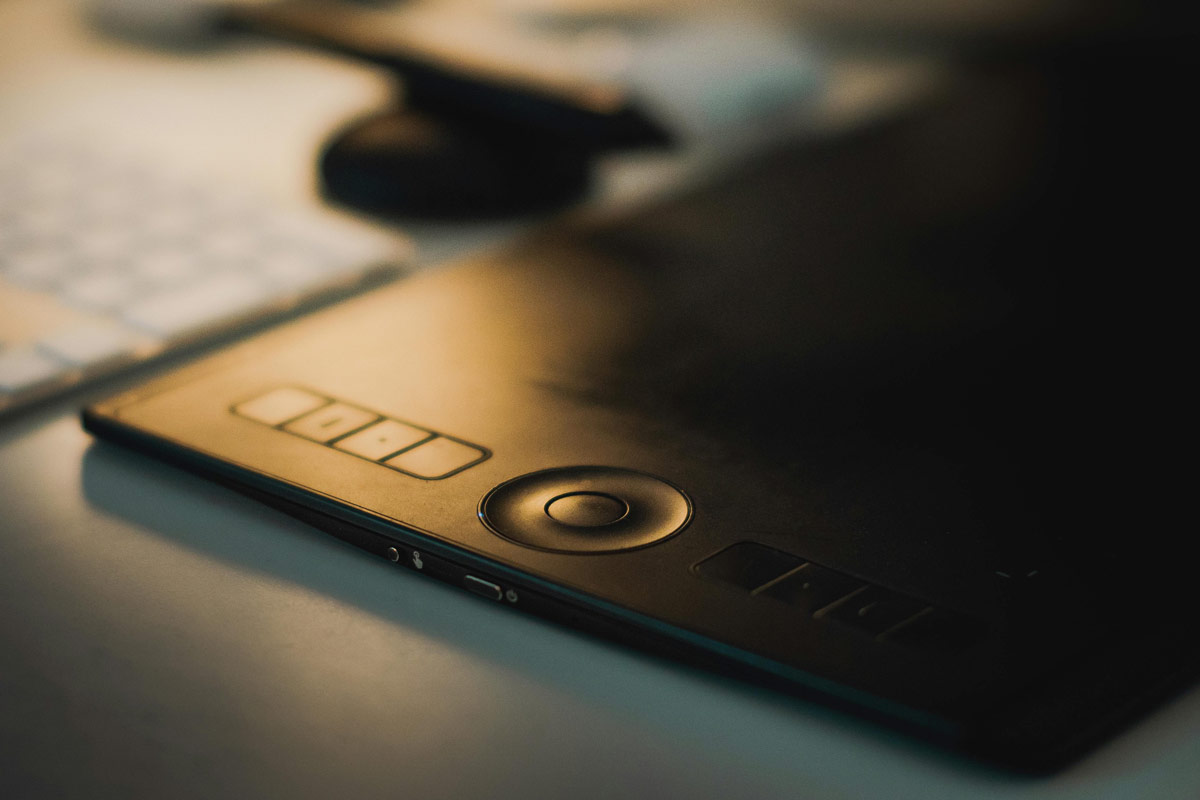
FIG. 01 Tablet used for editing and processing of images.
Learn Post-Processing Fundamentals
You don’t need to use every editing tool or apply complicated effects to improve a photo. You need to understand what your image needs and how to make the right adjustments.
This course introduces you to the fundamentals of photo editing, from correcting exposure and white balance to adjusting colour, contrast, sharpness and detail.
You’ll learn how to approach an image, decide what needs attention and make adjustments without losing sight of the photograph you originally took.
The training is practical and explained in straightforward terms, so you can connect what you learn with your own photos and editing workflow in Lightroom or Adobe Camera Raw.
Is the Training Right for You?
You have photos you like, but you sometimes wish they looked a little better. Perhaps you've opened editing software and found yourself overwhelmed by all the sliders, tools and options.
You might not know which adjustments to make, where to start or when to stop. Maybe you've tried editing on your own, followed a few tutorials or experimented with different settings, but you're still not getting the results you want.
You want to improve your photos
You have photos you like, but you sometimes wish they looked a little better.
Editing software feels overwhelming
You've opened editing software and found yourself overwhelmed by all the sliders, tools and options.
You're unsure where to start
You might not know which adjustments to make, where to start or when to stop.
You want a clearer editing process
Maybe you've tried editing on your own, followed a few tutorials or experimented with different settings, but you're still not getting the results you want.
Photo editing training can help you understand the tools, make more confident editing decisions and develop a clearer process for improving your images. It's a good place to start if you want more control over the final look of your photos and a better understanding of how to edit them.
What You’ll Learn
Understanding Photo Editing
Learn how editing can improve a photograph and understand the difference between correcting an image, enhancing it and making more creative adjustments.
Exposure and Contrast
Learn to adjust brightness, highlights, shadows, whites and blacks. Understand how these controls affect different parts of your image and help create a balanced result.
Colour and White Balance
Understand colour temperature and tint, correct unwanted colour casts and adjust saturation. Learn how to make colours look natural while retaining the atmosphere of the original photograph.
Working with RAW Files
Understand why RAW files offer more flexibility during editing. Learn how to work with the information captured by your camera and recover detail where the image allows it.
Adobe Lightroom or Adobe Camera Raw
Get familiar with the editing tools in the software you use. Learn how the main adjustments work, where to find them and how to apply them to your own photographs.
Presets and Editing Adjustments
Learn how presets can speed up parts of your editing workflow. Understand why a preset may look different on different images and how to adjust the result to suit each photograph.
Sharpening and Noise Reduction
Learn how sharpening can bring out detail and how noise reduction can help with grain in your images. Understand when to use these tools and why too much adjustment can affect image quality.
Cropping and Straightening
Learn how to straighten horizons, correct framing and crop an image to improve its composition. See how small changes can help direct attention towards your main subject.
Developing Your Editing Workflow
Bring the different adjustments together into a practical editing process. Learn how to approach an image, work through changes in a sensible order and decide when the photo is ready.
The aim is to understand why you make certain editing adjustments, visualise how you would want the finished photo to look like, and know how to get there. Rather than randomly moving sliders and hoping for the best, you'll learn to recognise what an image needs and make informed decisions about how to improve it.
How the Course Works
This is a practical photo editing course. We work with your own images and editing tools, giving you time to practise and see how each adjustment changes the final result.
Understand the Tools
Learn what the main editing controls do and how they affect different parts of an image.
Put Your Knowledge into Practice
Work through editing adjustments and see how changes to exposure, colour and detail affect the final result.
Ask Questions
If something doesn’t make sense, we can go through it again. You can also bring up editing problems or techniques you find difficult.
Learn from Your Photos
Use your own pictures to explore what can be improved, which adjustments are appropriate and how to achieve a more considered result.
One-to-One Photo Editing Training
With personalised one-on-one training, the session focuses on your images, the software you use and what you want to learn.
If you struggle with colour adjustments, aren't sure how to work with RAW files or find certain editing tools confusing, we can spend more time on those areas. You can ask questions, work at your own pace and focus on the editing skills that matter most to you.
What Software Do You Need?
The course focuses on Lightroom or Adobe Camera Raw. If you already use one of these programs, we can work with the software you have and help you get more from it.
Please have the following ready:
- Access to Adobe Lightroom or Adobe Camera Raw.
- Some of your own photos to practise with.
- RAW files
You don't need both programs. We can focus on the one that suits your editing workflow.
Course Price
Learn to edit your photos with more confidence through practical, one-on-one training. The course covers essential editing tools and adjustments to help you improve colour, exposure and detail in your images.
R3,499
Get in touch to book the course and arrange a suitable date for your lesson.
Course Details
- Level: Suitable for anyone looking to improve their editing skills
- Duration: Approximately 3 hours
- Format: One-to-one
- Software: Lightroom or Adobe Camera Raw
- Availability: Weekdays and weekends, subject to arrangement
- Location: Pretoria & Johannesburg
The training focuses on your own images and helps you understand the editing adjustments you can use to improve them.
Book the Photo Editing Course
Ready to get more from your photos? Send me your details and preferred training date, and we can discuss the next steps.
Let's plan your training
Tell me a little about your photography and the editing software you use. Include your preferred date so we can discuss a suitable time for your training.
One-on-one instruction focused on your images, your editing software and the skills you want to develop.
Include details of the editing software you use and bring some of your own images to work with during training.
Frequently Asked Questions
Do I need experience with photo editing before taking the course?
The course is suitable for beginners as well as photographers who have tried editing but are not getting the results they want. We'll work with Adobe Lightroom or Adobe Camera Raw and focus on understanding the main editing tools and how to use them effectively.
What is the difference between Adobe Lightroom and Adobe Camera Raw?
Both programs offer tools for adjusting exposure, colour, contrast, detail and other aspects of a photograph. Lightroom also includes features for organising and managing your photo collection, while Adobe Camera Raw focuses on editing and adjusting image files. The course focuses on the editing tools in either program, using whichever one you prefer.
Can I use what I learn with different types of photography?
The editing techniques covered in the course can be applied to many types of photography. The aim is to help you understand how to assess an image and choose adjustments that suit the photograph, whatever the subject.
Where are lessons available?
Lessons are available in Pretoria, Johannesburg and surrounding areas. Sessions are arranged by appointment.